Kira Suite · AI apps

Create software, videos and presentations by chatting

Kira is a set of apps where AI works alongside you: it writes and tests your software, edits your videos with voiceover and subtitles, and builds your presentations. And the apps talk to each other. Your files stay on your computer.

No card needed. Use the AI you already pay for: no credits, no tokens, no surprises.

Kira Code

The editor where Kira AI writes, tests and publishes with you. Vibe coding with testing, git and publishing built in.

  • Websites, apps and full software
  • QA browser with reports and screenshots
  • Git, DEV, PRO and FTP included
  • Chats talk to each other across apps
  1. 1 of 11

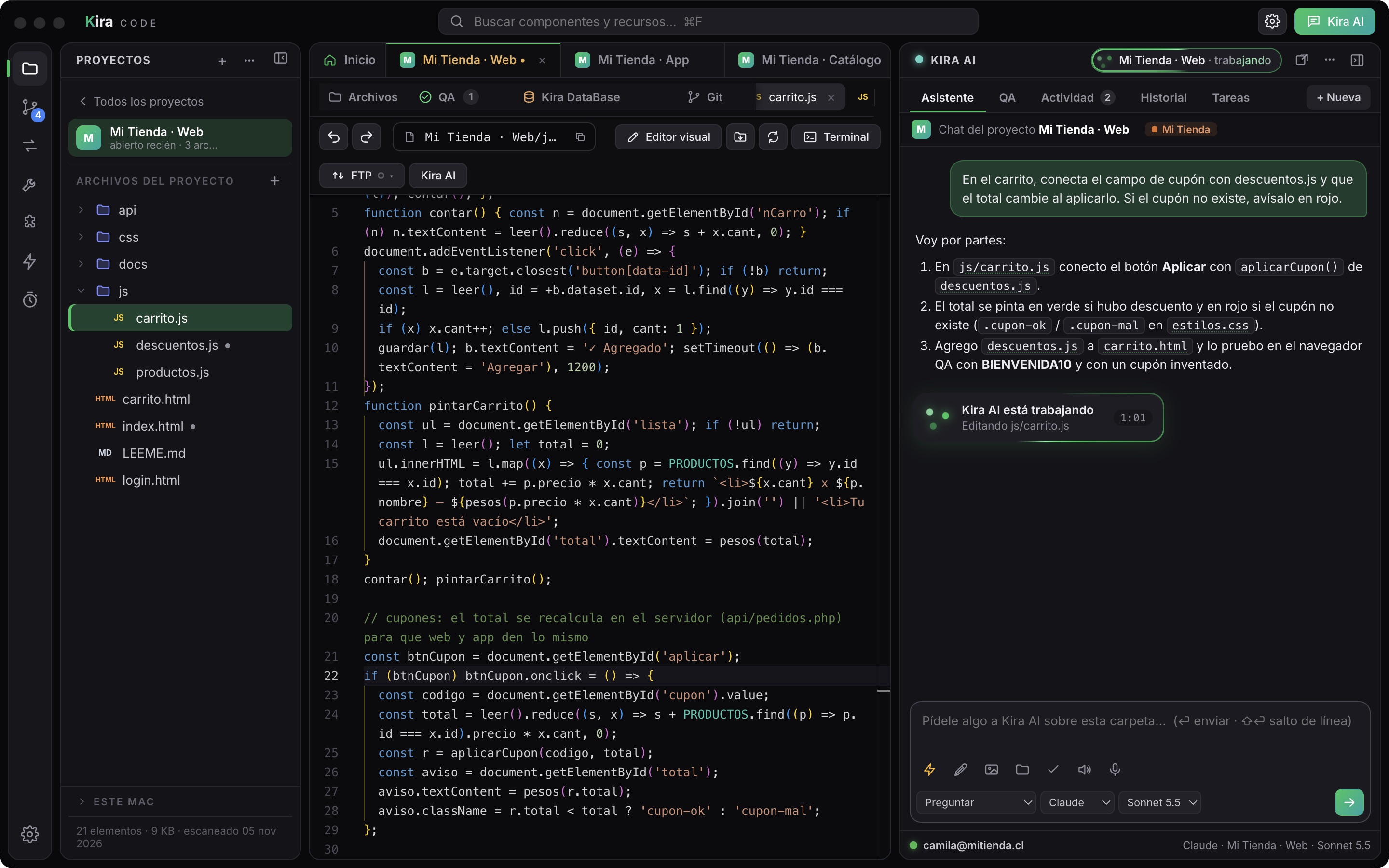
    Kira Code trabajando

    Proyectos y archivos a la izquierda, el editor al centro y Kira AI a la derecha, explicando su plan y editando tu código.

  2. 2 of 11

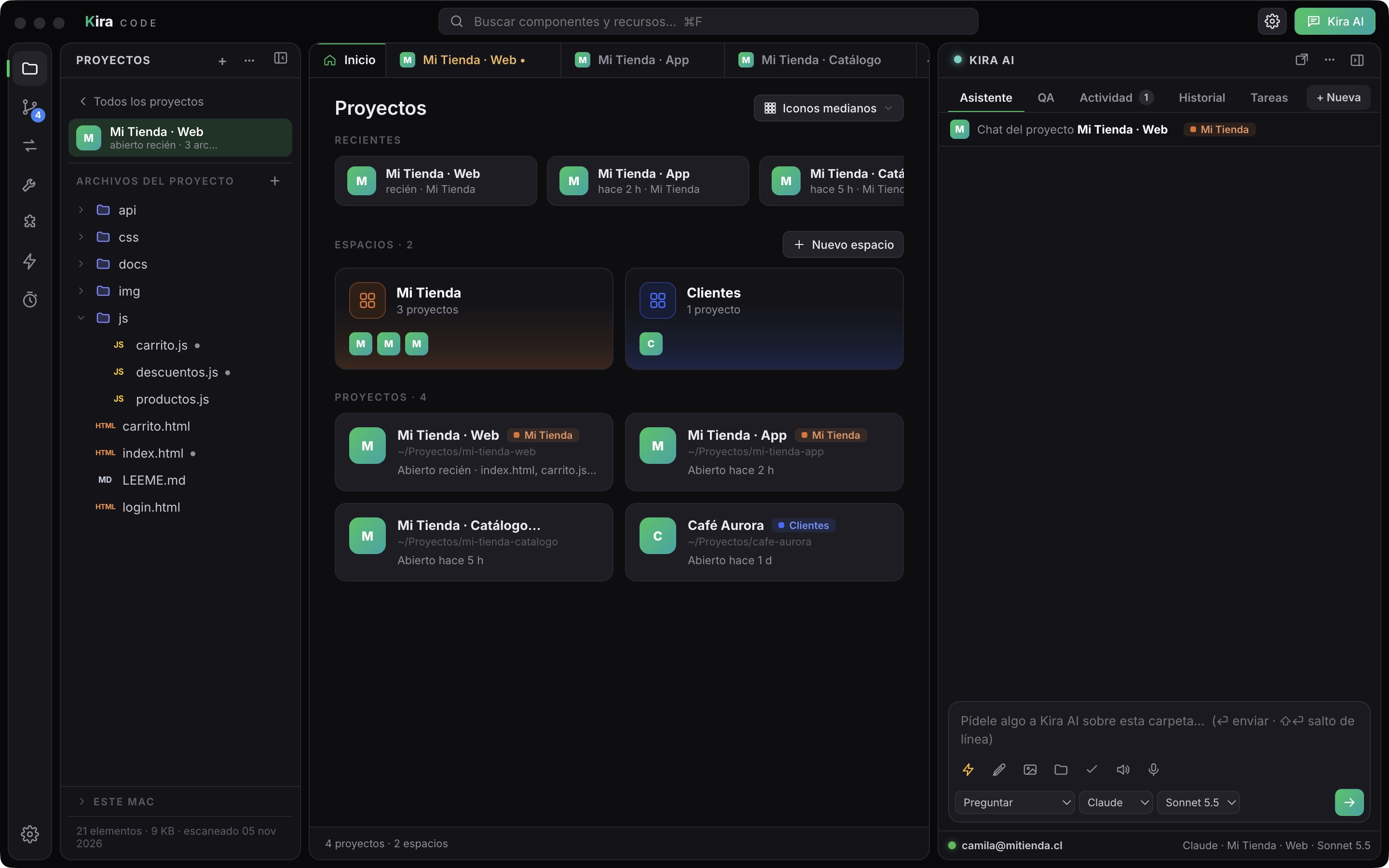
    Pestañas y espacios

    Cada proyecto es una pestaña. Los espacios agrupan los proyectos de una marca o cliente sin mover archivos.

  3. 3 of 11

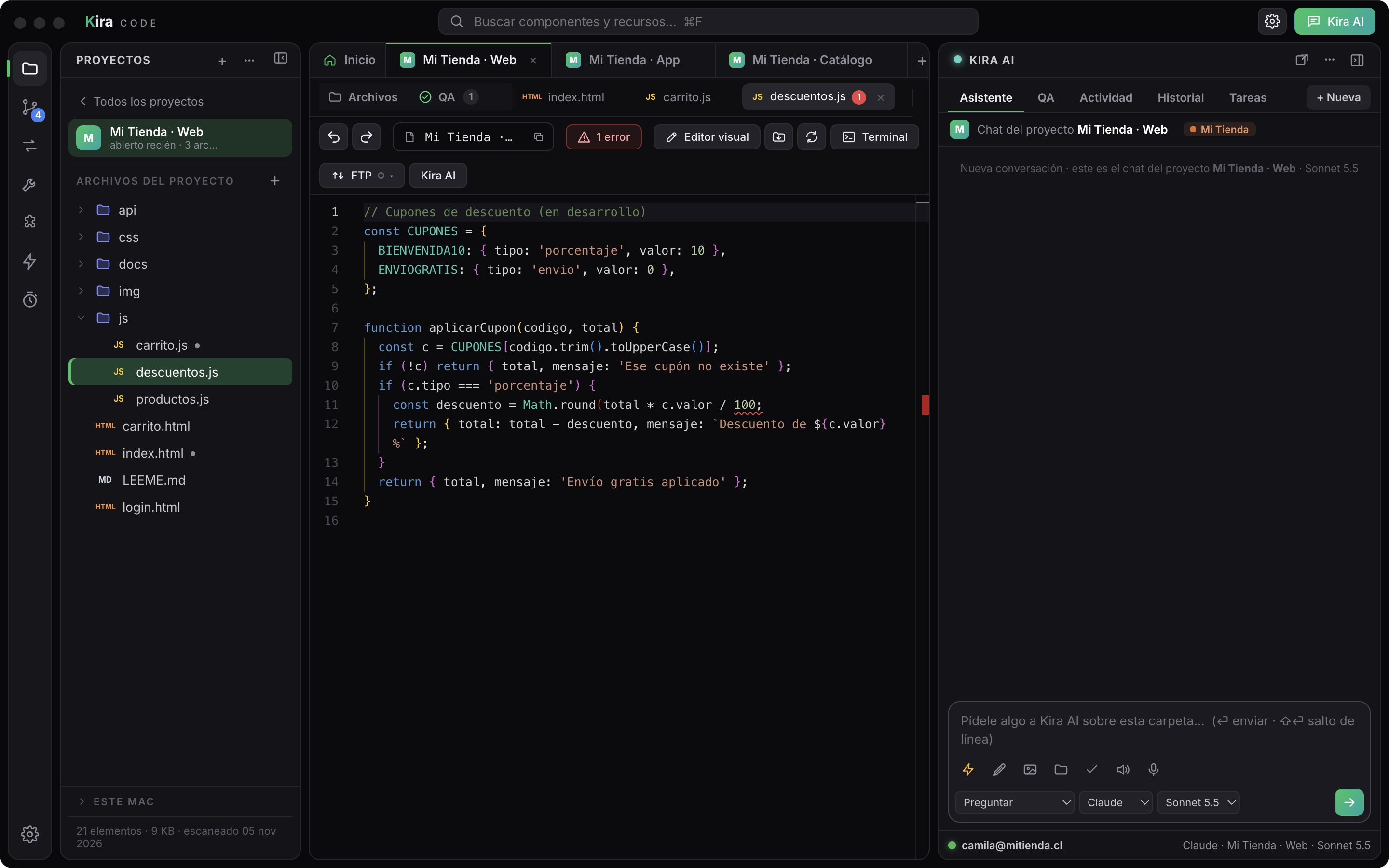
    Revisión de errores al escribir

    El editor revisa JavaScript, PHP, Python, JSON y CSS mientras escribes: subraya el error y lo cuenta en la pestaña.

  4. 4 of 11

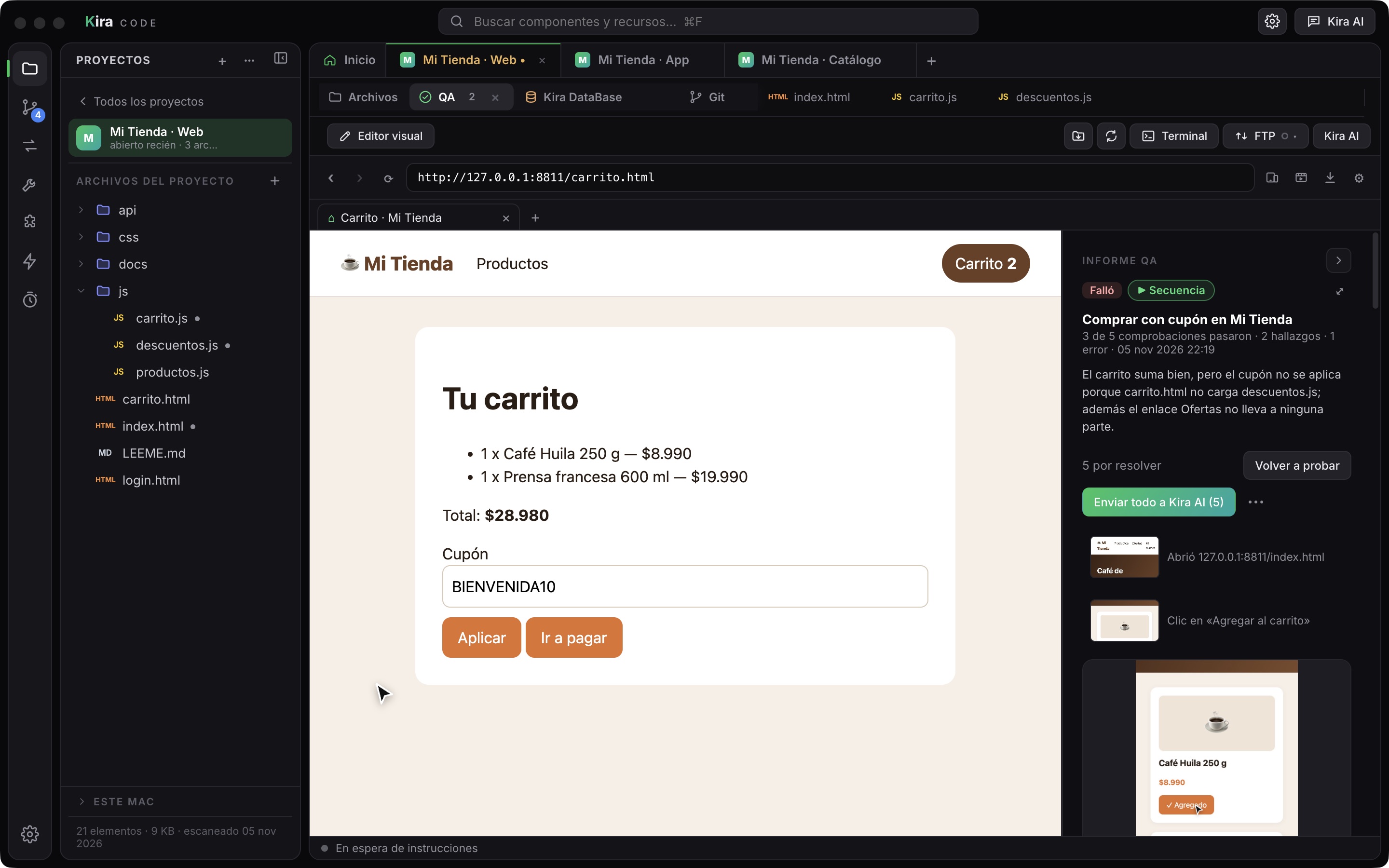
    QA con informes

    Kira AI prueba tu app a la vista y deja un informe: qué pasó, qué falló y cada hallazgo para mandar a corregir.

  5. 5 of 11

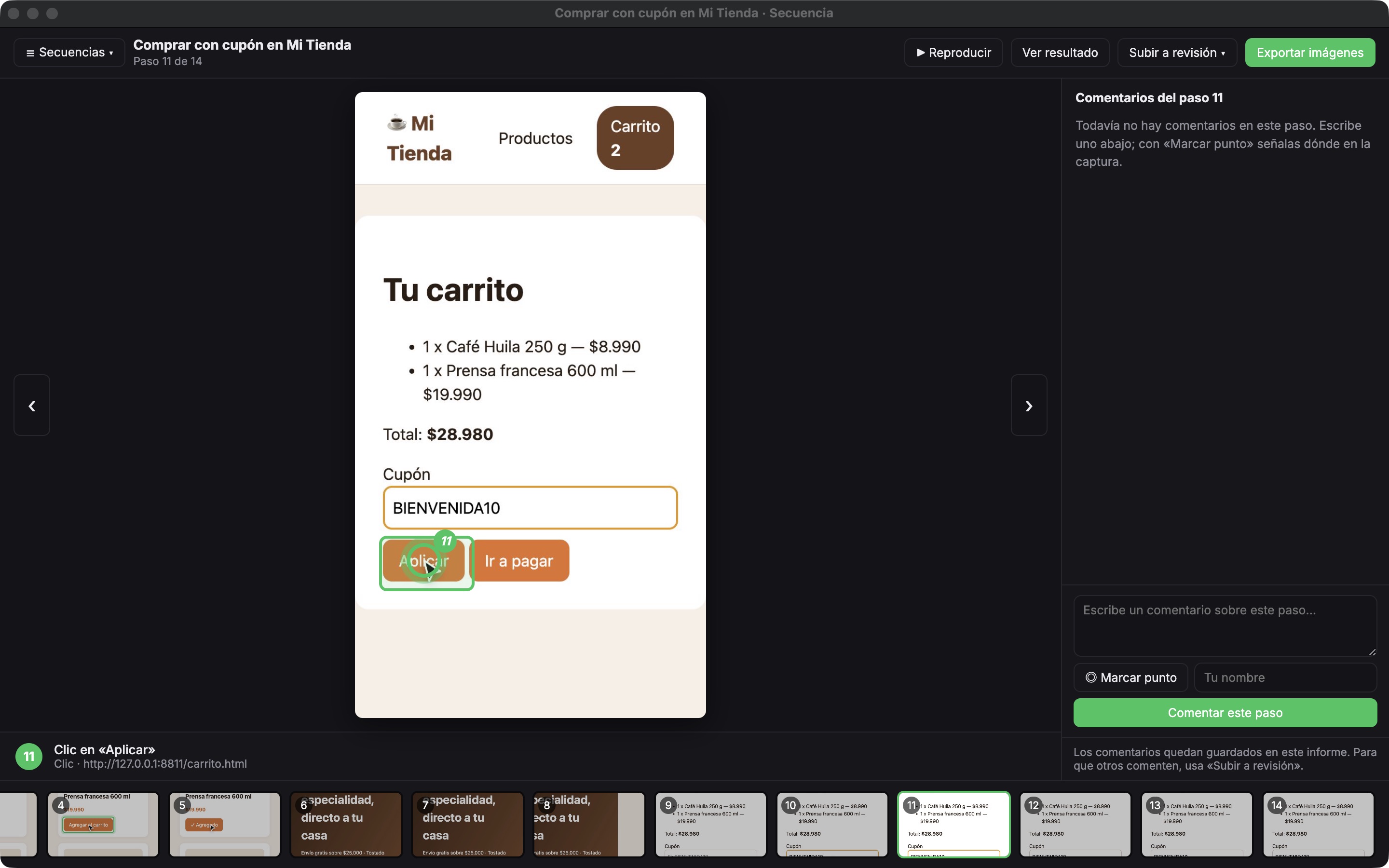
    La Secuencia del QA

    Recorre cada paso de la prueba con su captura y el clic marcado, lista para comentar o exportar.

  6. 6 of 11

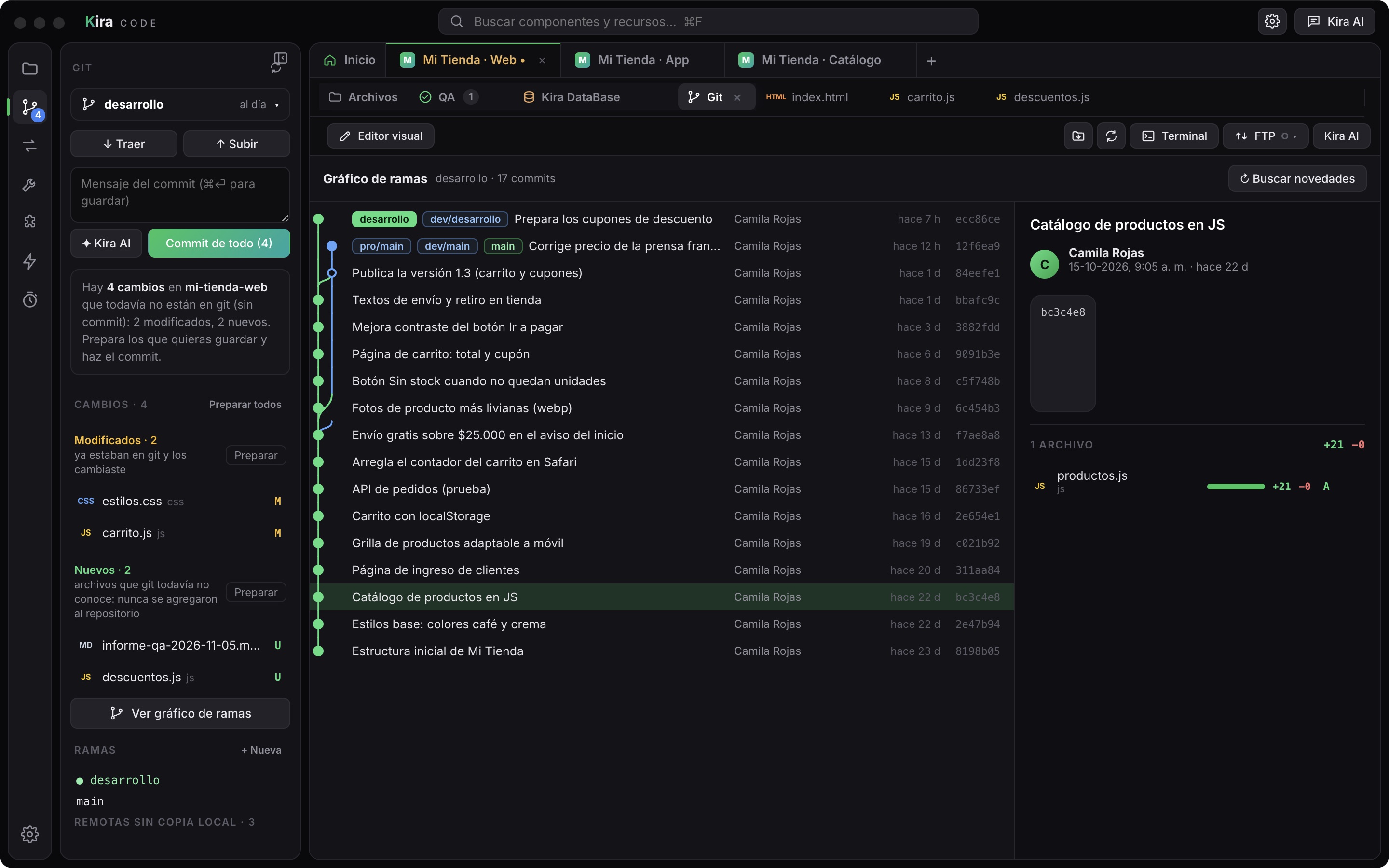
    Git incluido

    Cambios sin confirmar, ramas y el gráfico de commits, con los remotos de desarrollo y producción.

  7. 7 of 11

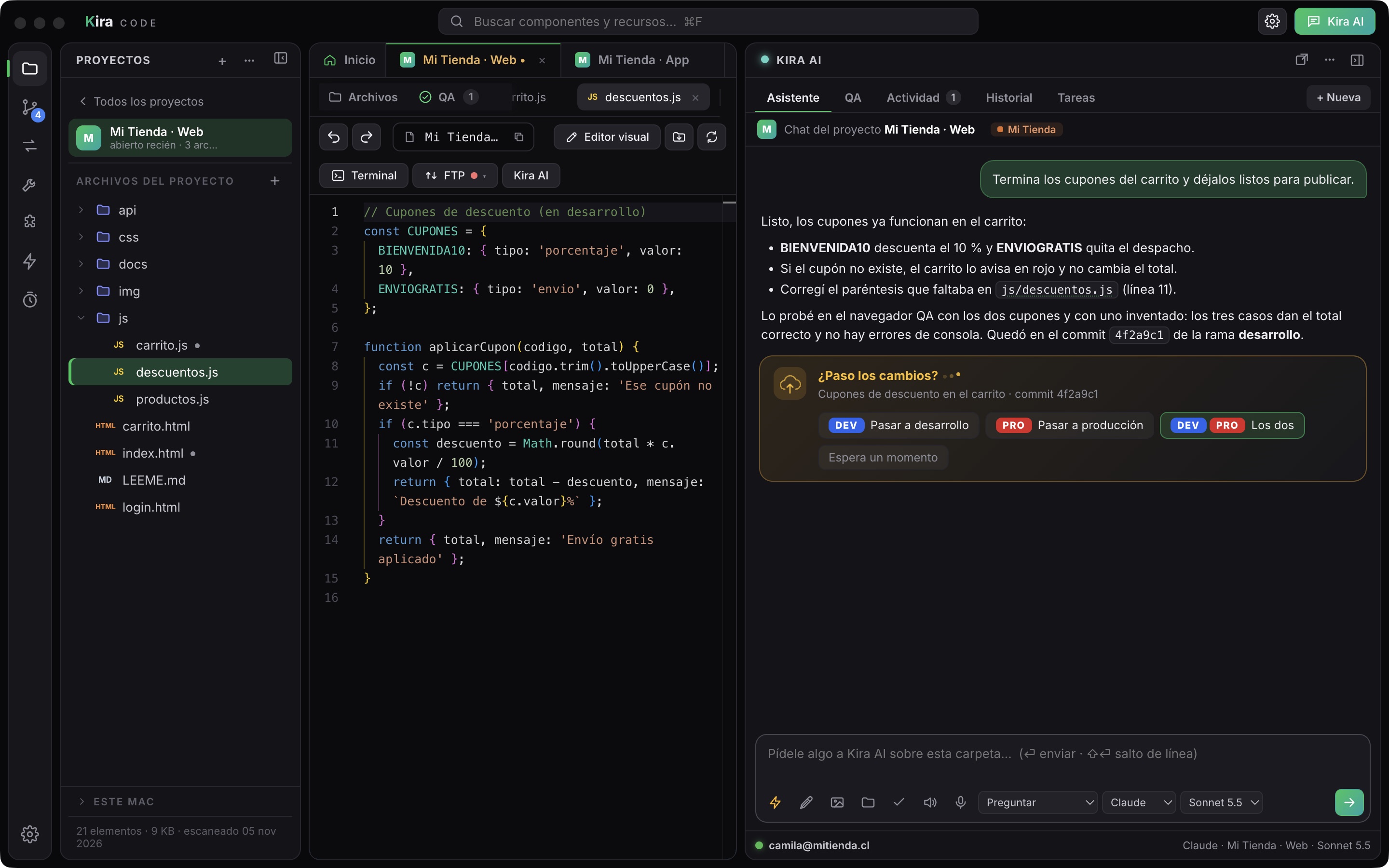
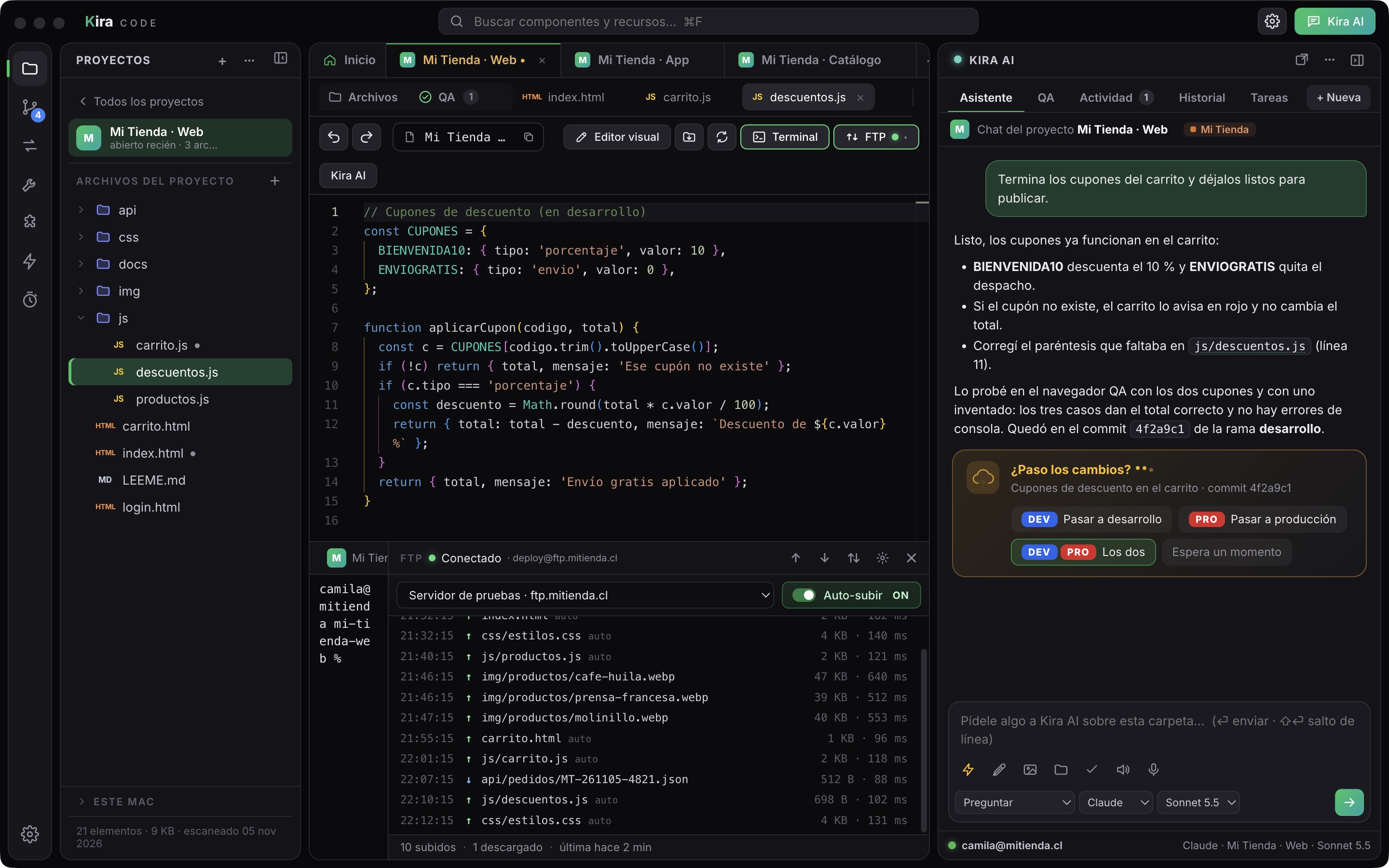
    Pasar a DEV o PRO

    Al terminar un cambio, Kira AI levanta una tarjeta con botones para pasarlo a desarrollo, a producción o a los dos.

  8. 8 of 11

    FTP y SFTP integrados

    Conexión activa, auto-subir y el historial de cada archivo subido o bajado, con su tamaño y tiempo.

  9. 9 of 11

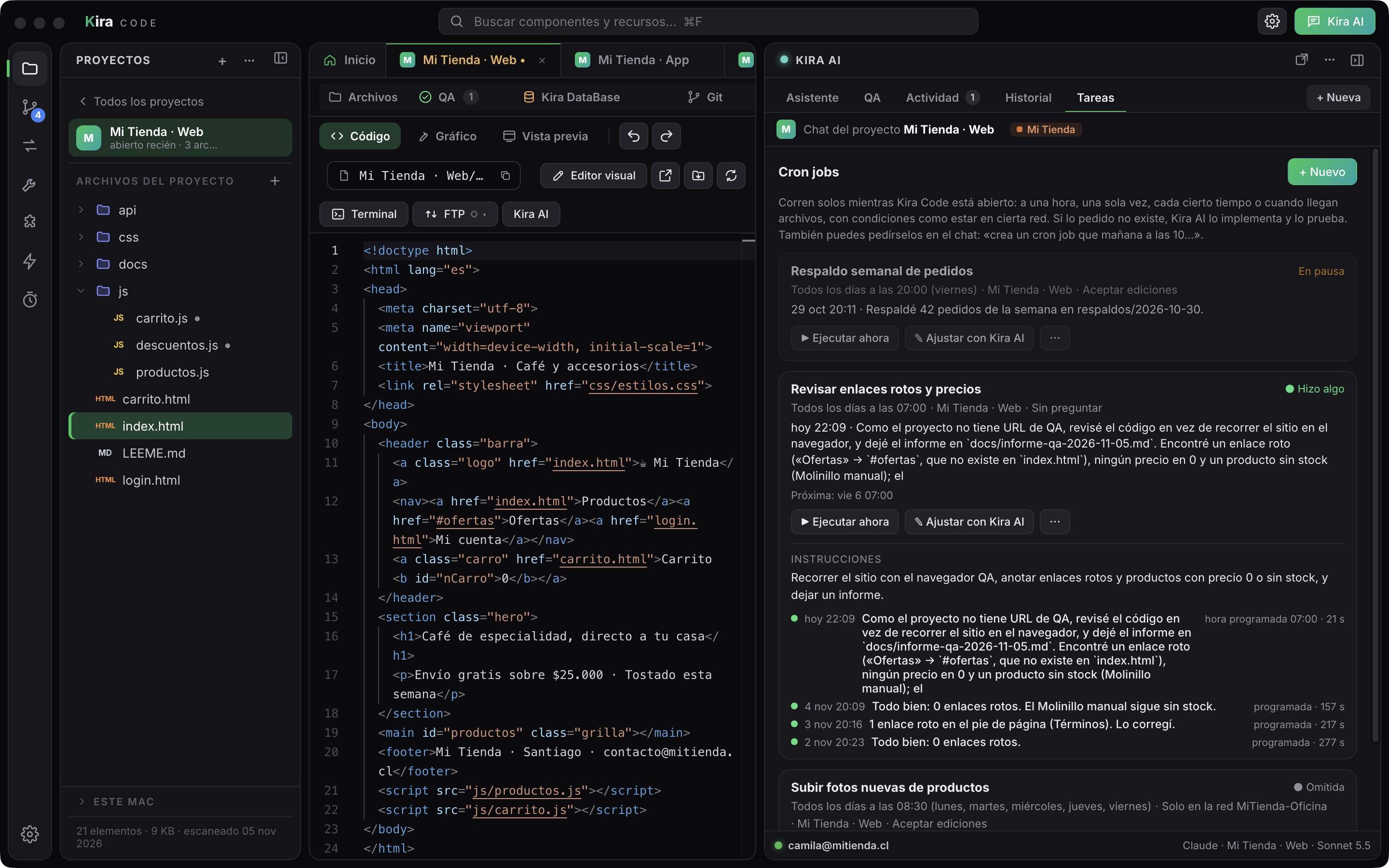
    Tareas automáticas

    Lo que Kira AI hace sola: revisar enlaces cada mañana, subir fotos solo en la red de la oficina, un respaldo semanal.

  10. 10 of 11

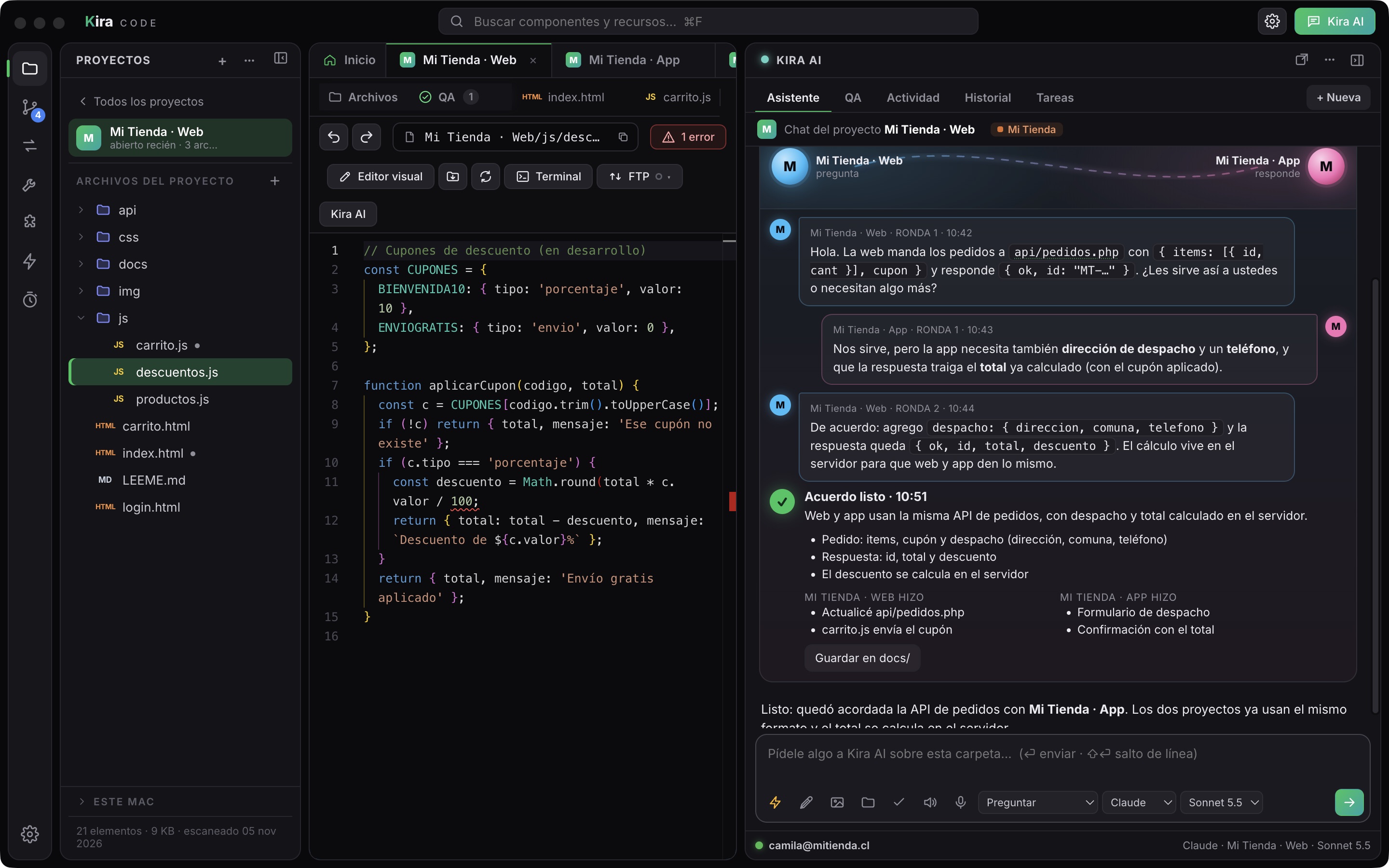
    Chats que se hablan

    La IA de un proyecto se pone de acuerdo con la de otro: rondas de mensajes y un acuerdo final con lo que hizo cada una.

  11. 11 of 11

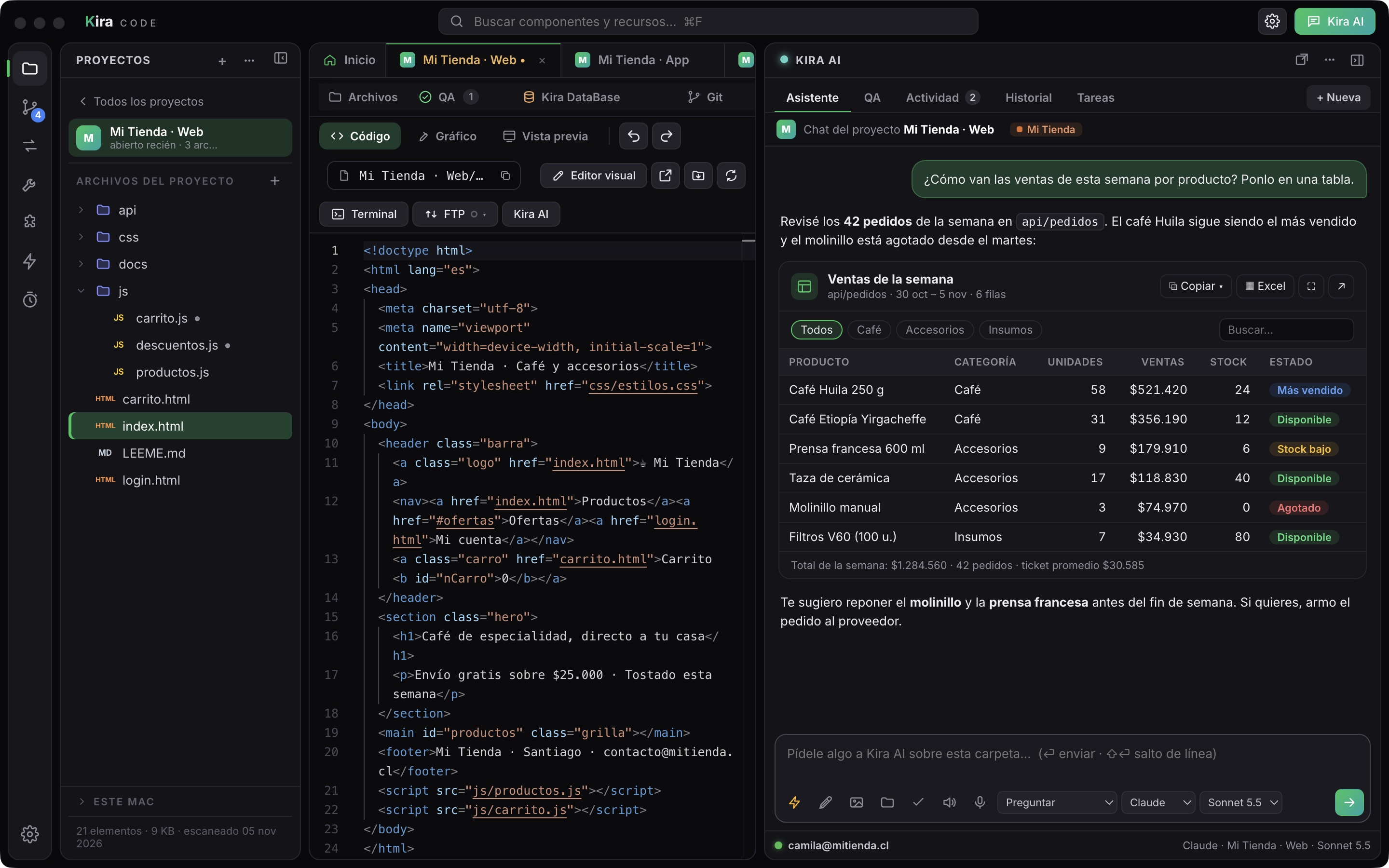
    Tablas en el chat

    Kira AI entrega los datos como una tabla con estilo: se ordena, se filtra y se copia para Excel o con estilo.

Kira Video Editor

Edit video by chatting: cuts, voice, subtitles and export.

  • Tutorial video of a website
  • Timeline with clips and keyframes
  • ElevenLabs voices and word-by-word subtitles
  • Export mp4, mp3 or HTML
  1. 1 of 10

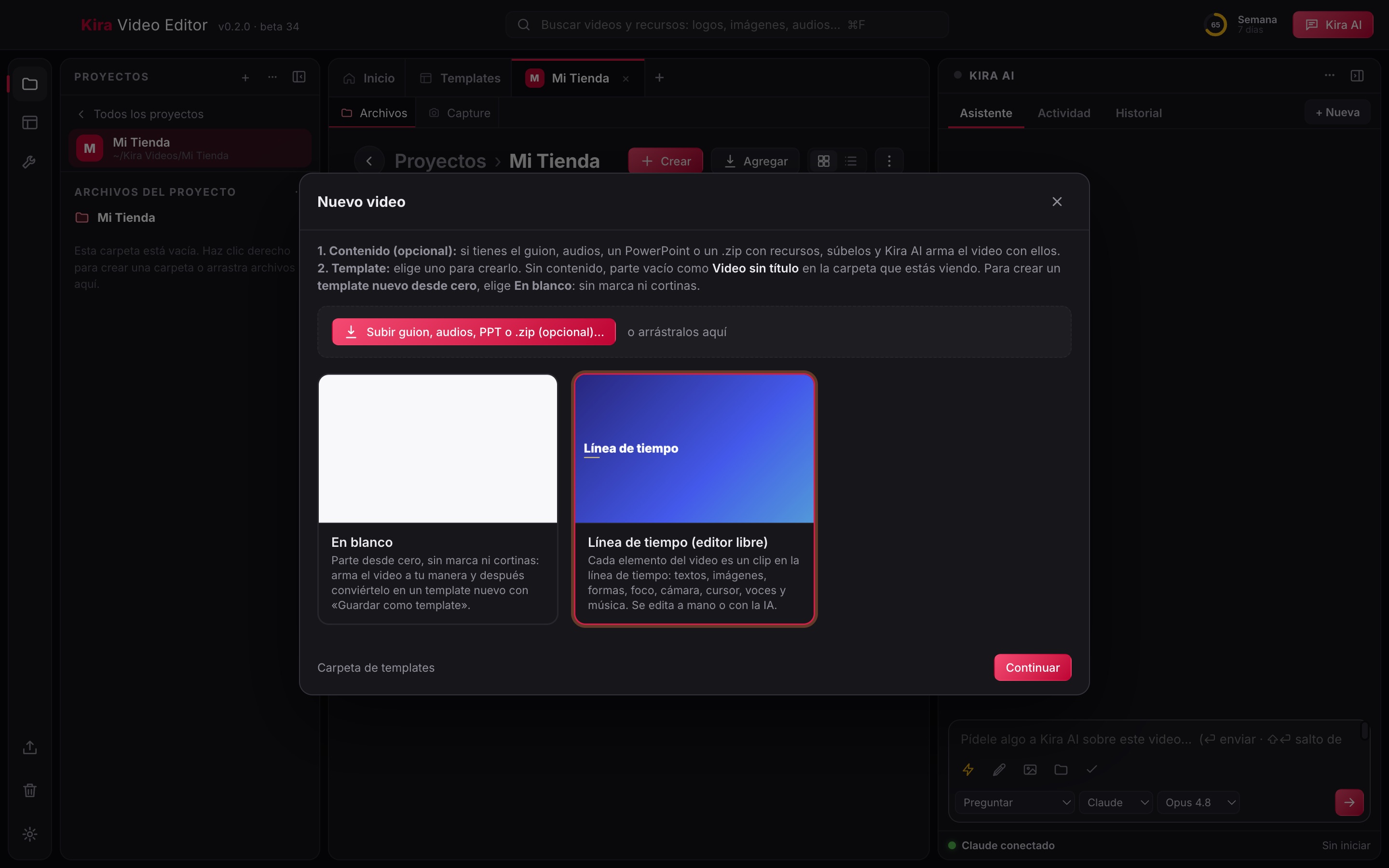
    Nuevo video

    Parte de un template con su estilo o de la línea de tiempo libre, y sube tu guion, tus audios o un PowerPoint.

  2. 2 of 10

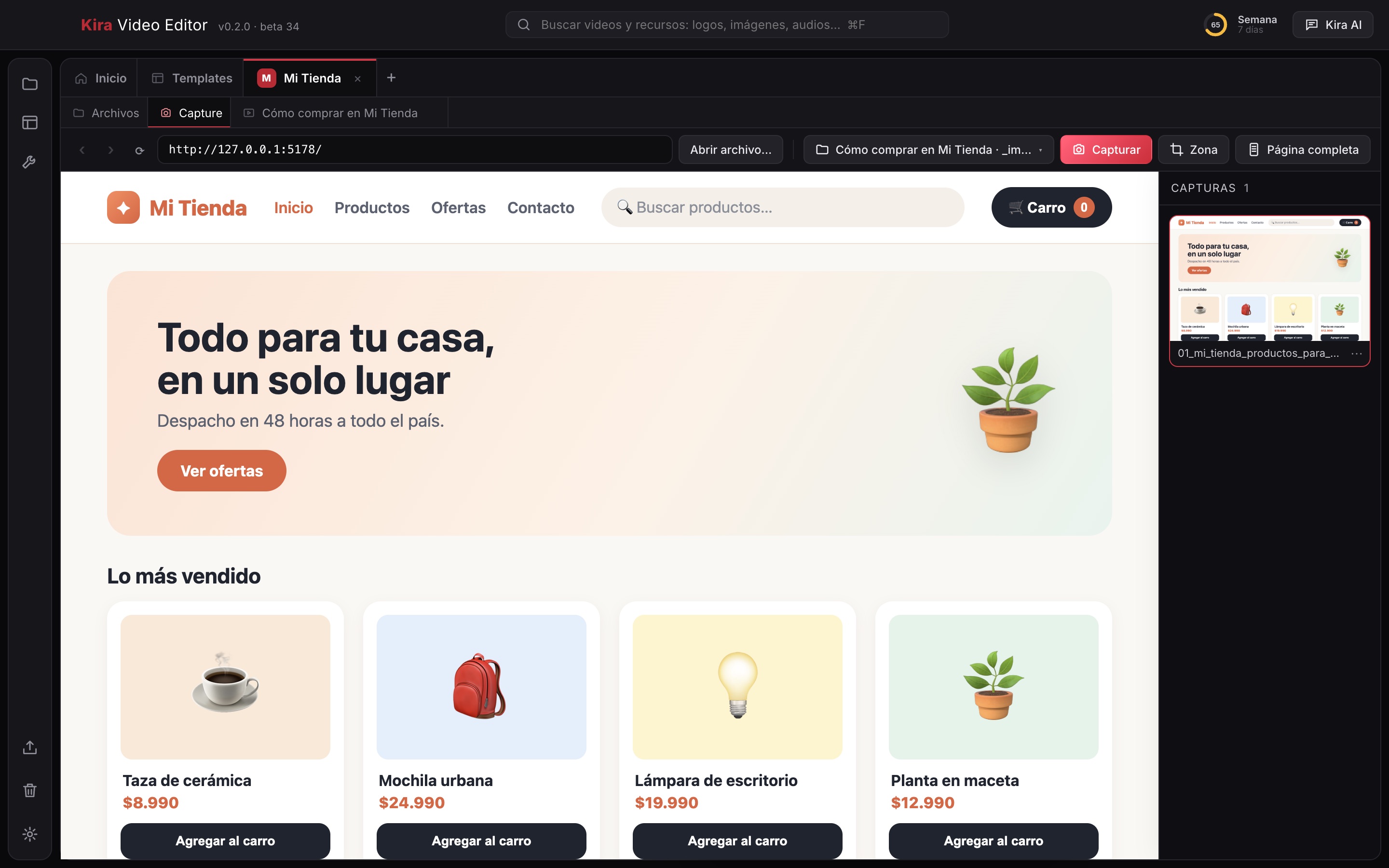
    Capture sobre un sitio web

    Navegas tu sitio dentro de Kira Video y lo capturas entero, una zona o la página completa; cada captura queda lista para el video.

  3. 3 of 10

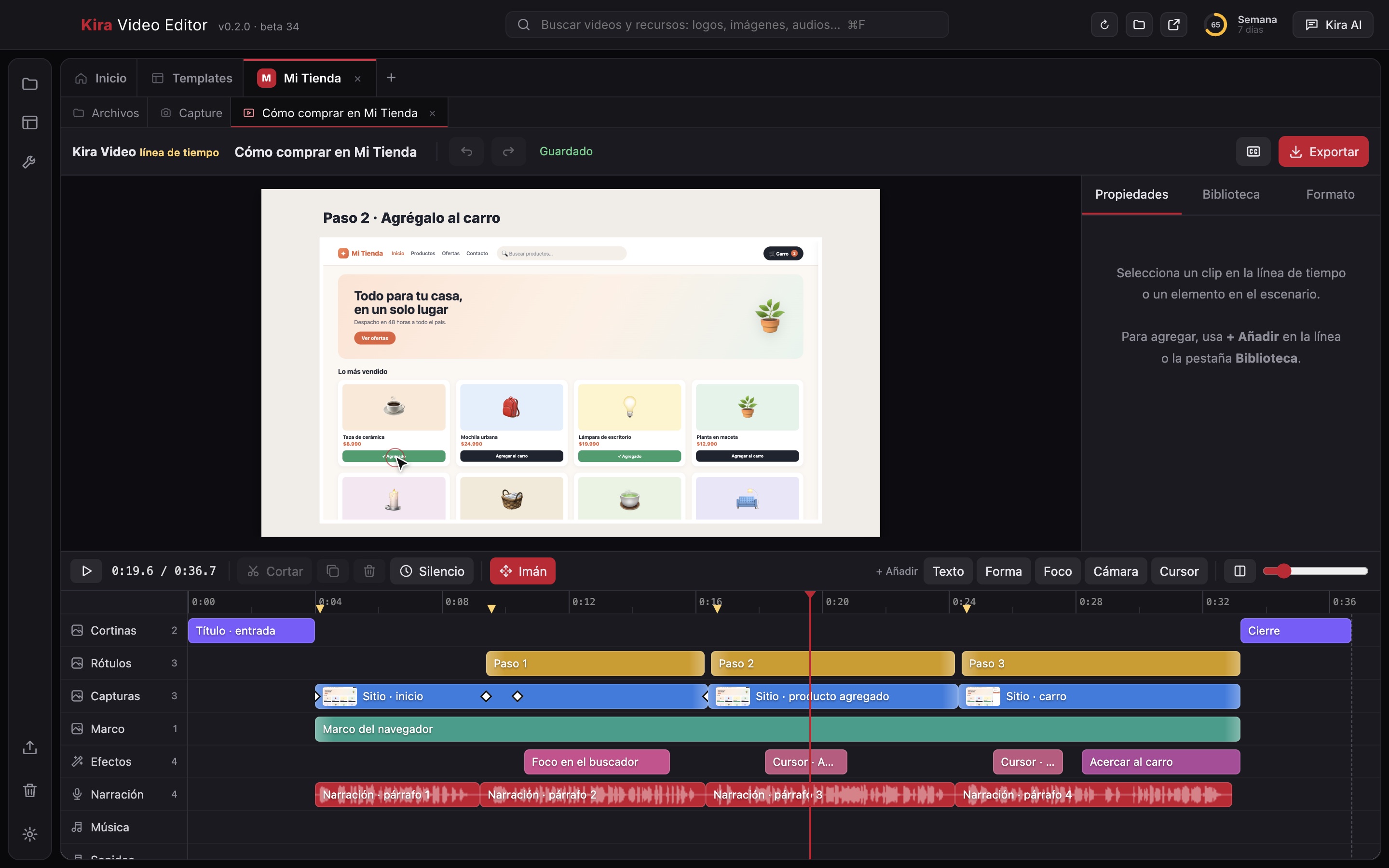
    Línea de tiempo con pistas

    Cada elemento es un clip en su pista: cortinas, rótulos, capturas, marco, efectos, narración y música.

  4. 4 of 10

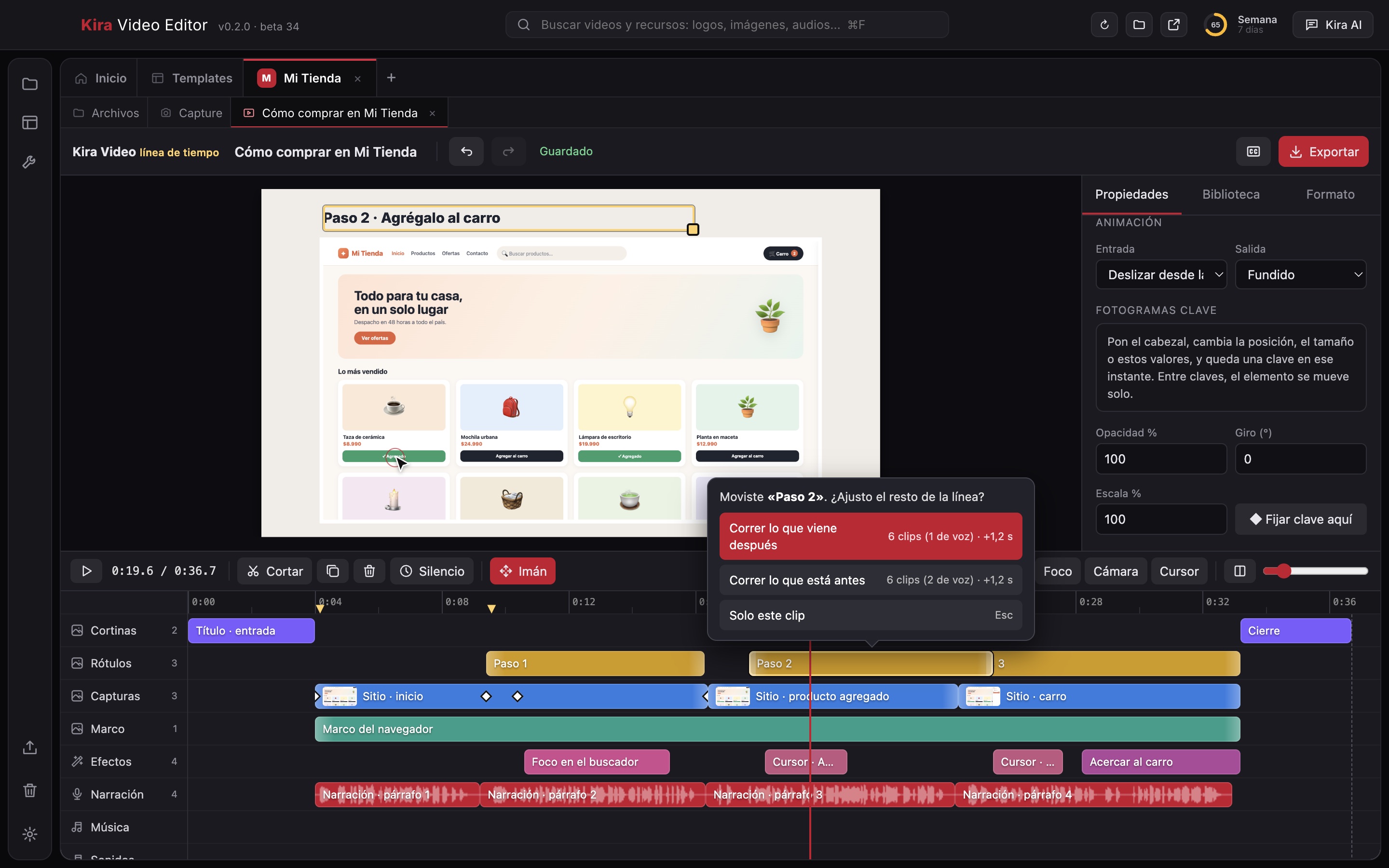
    Mover un clip sin descuadrar

    Al soltar un clip, Kira pregunta si corre lo que viene después o lo anterior, para que la voz y los textos sigan calzando.

  5. 5 of 10

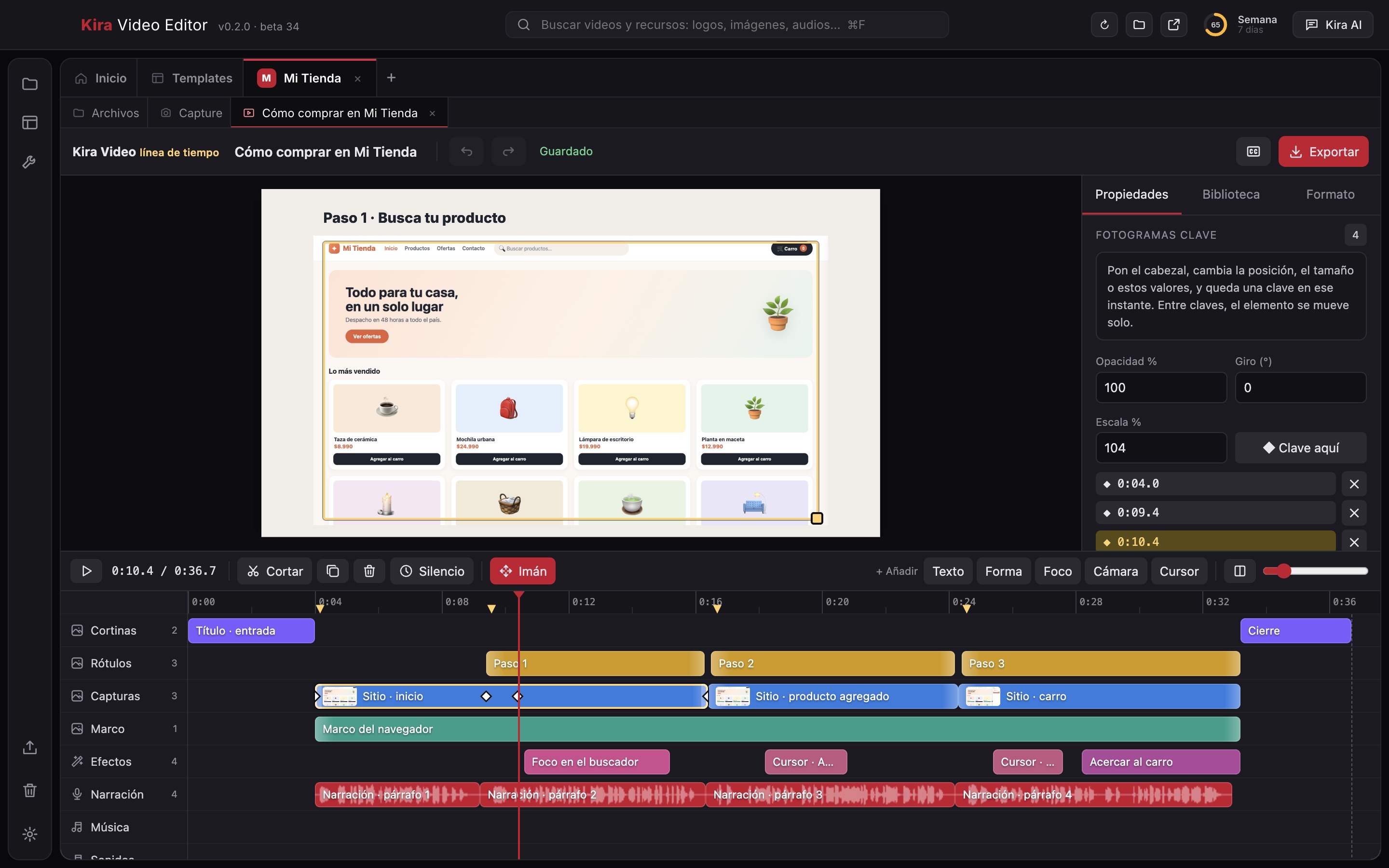
    Fotogramas clave

    Pones el cabezal, cambias escala, opacidad o giro y queda una clave; entre claves el elemento se mueve solo.

  6. 6 of 10

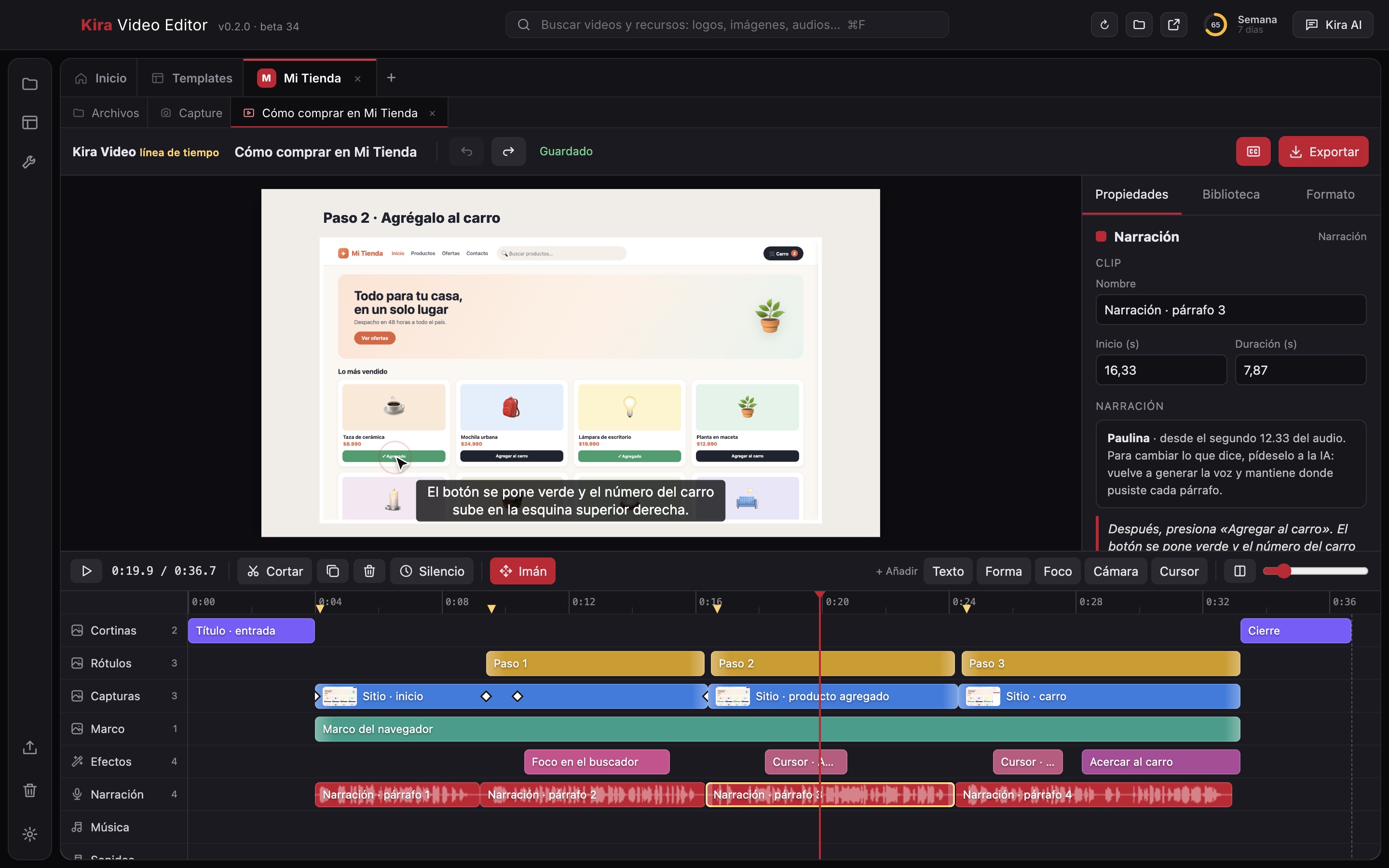
    Narración con subtítulos

    La voz queda en clips por párrafo, con su onda, y los subtítulos sincronizados se ven en la vista previa.

  7. 7 of 10

    Kira AI edita el video

    Le pides un cambio en el chat y Kira AI lo aplica en la línea de tiempo: aquí reescribe un rótulo y se ve al instante.

  8. 8 of 10

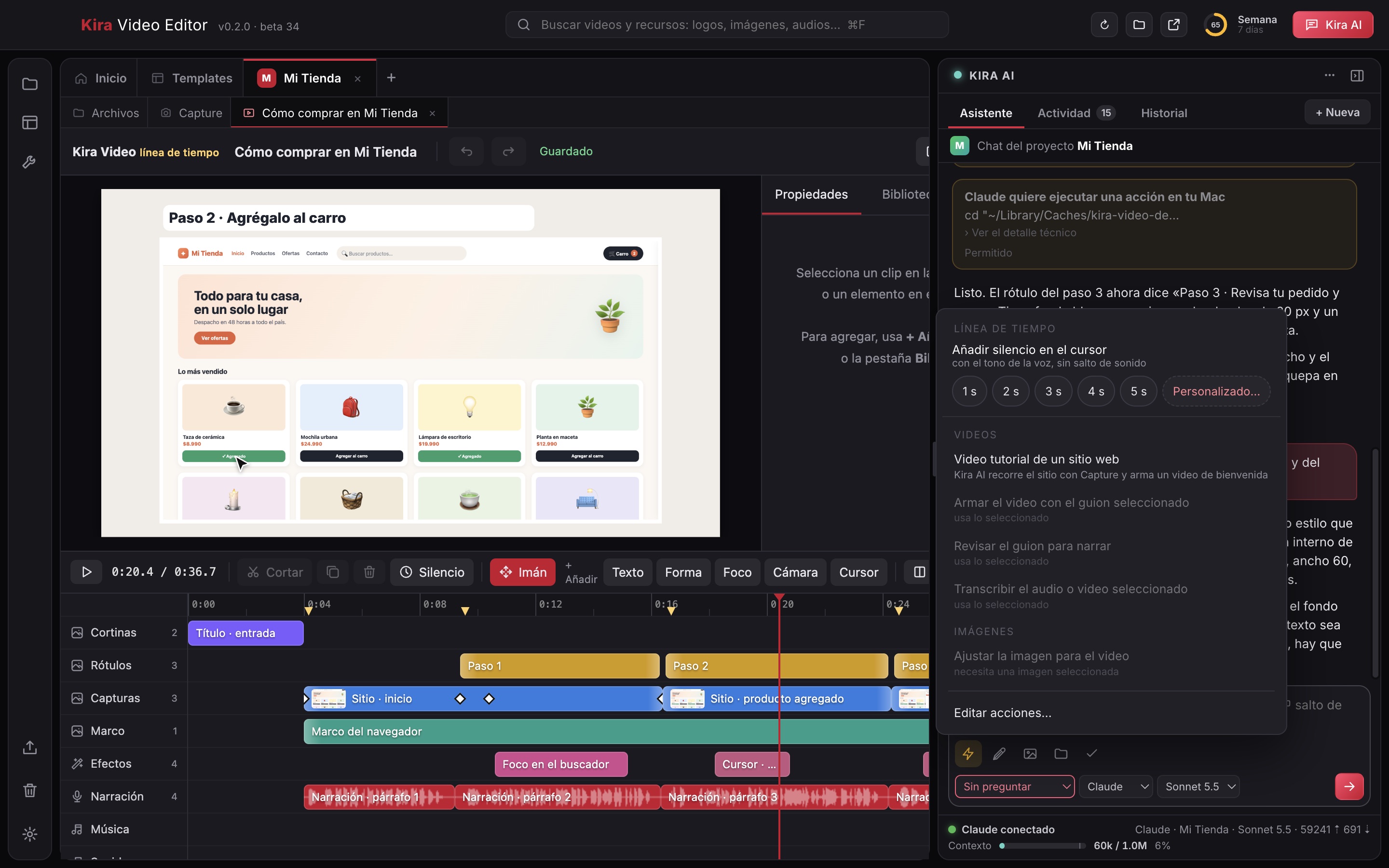
    Funciones rápidas

    Atajos de un clic: silencio con tono de sala, video tutorial de un sitio, armar con el guion, revisar, transcribir y ajustar imágenes.

  9. 9 of 10

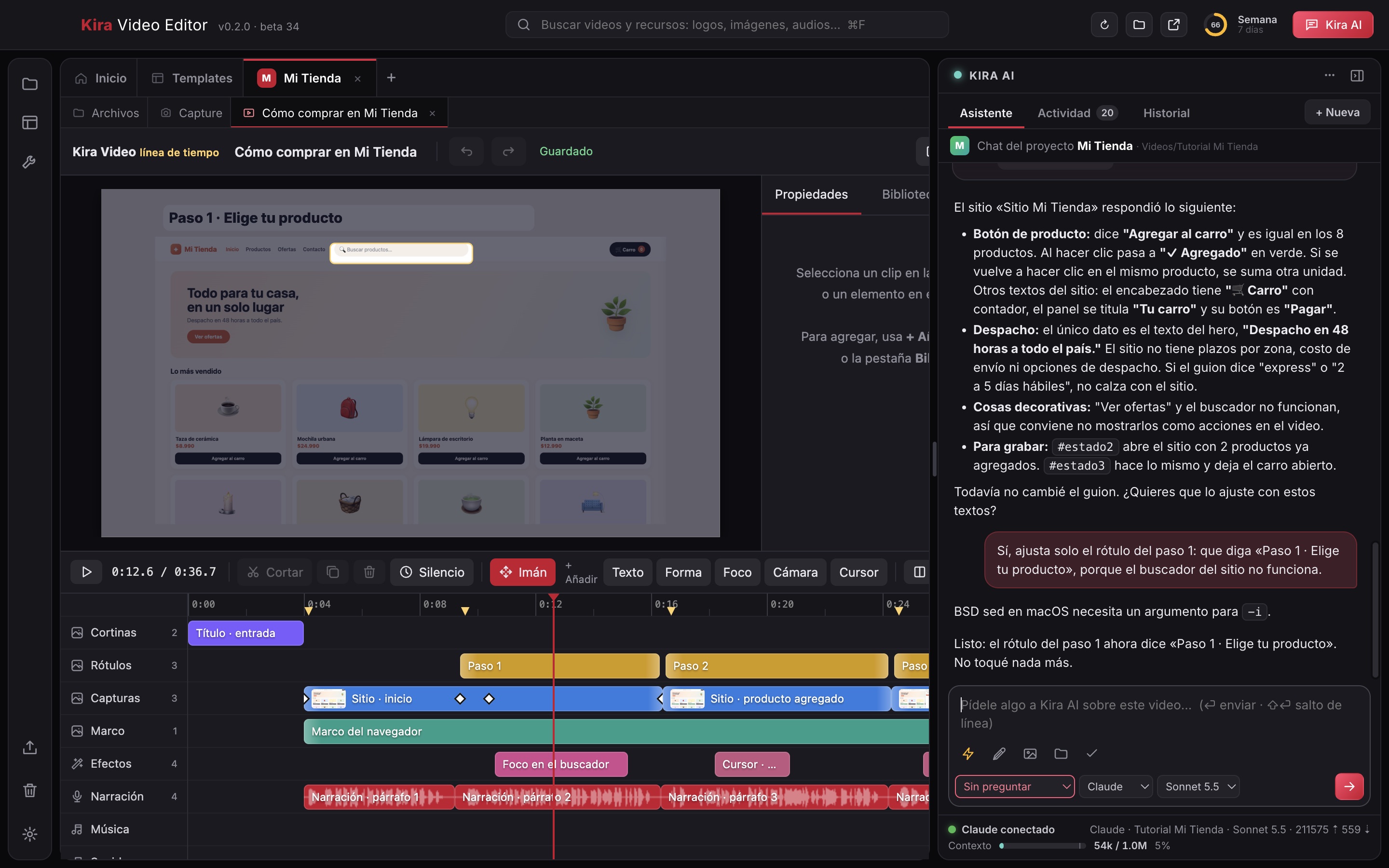
    Chats que se hablan

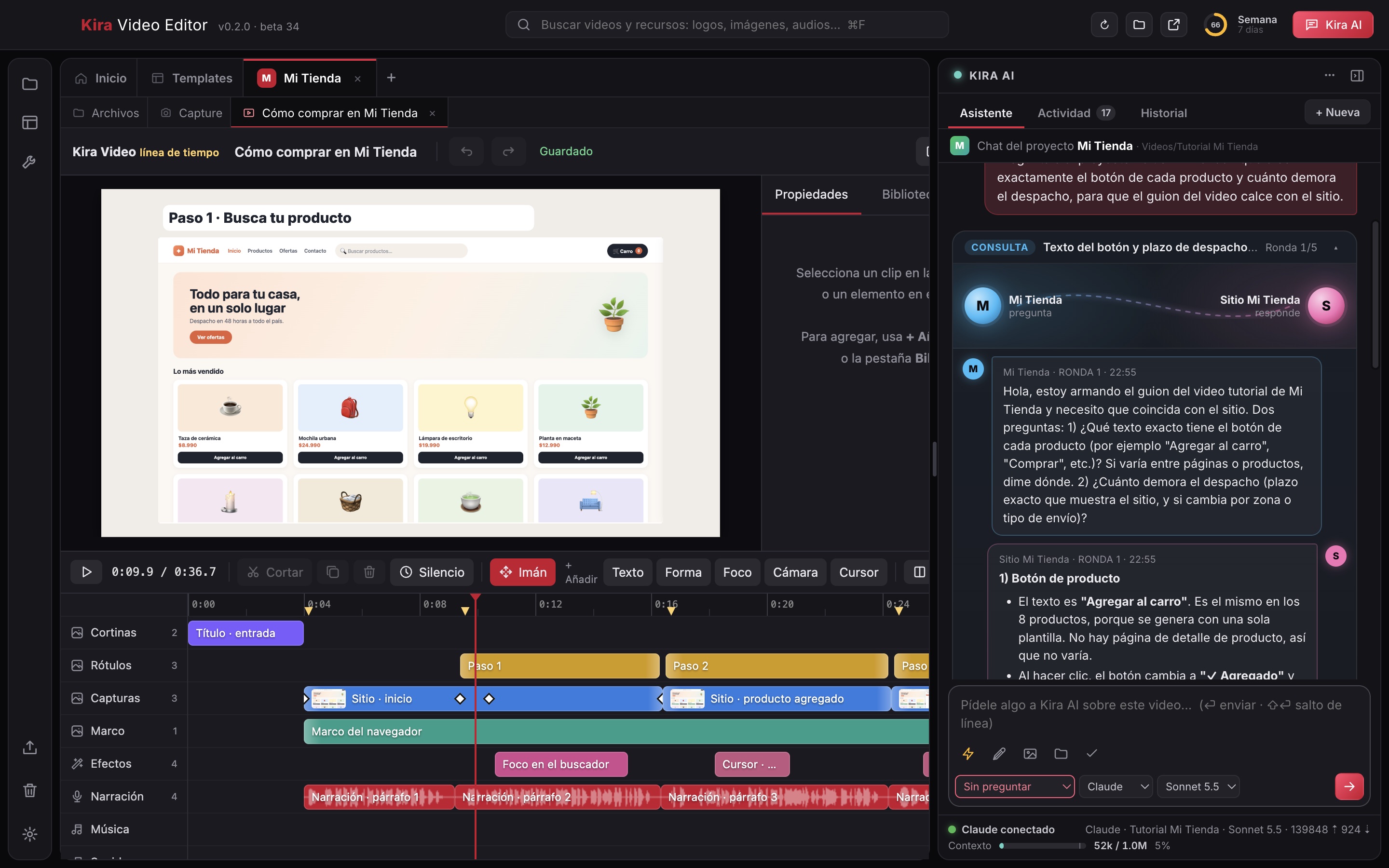
    Kira AI le consulta a la IA de otro proyecto (aquí, el sitio web) y trae la respuesta para que el guion calce con lo real.

  10. 10 of 10

    Exportar el video

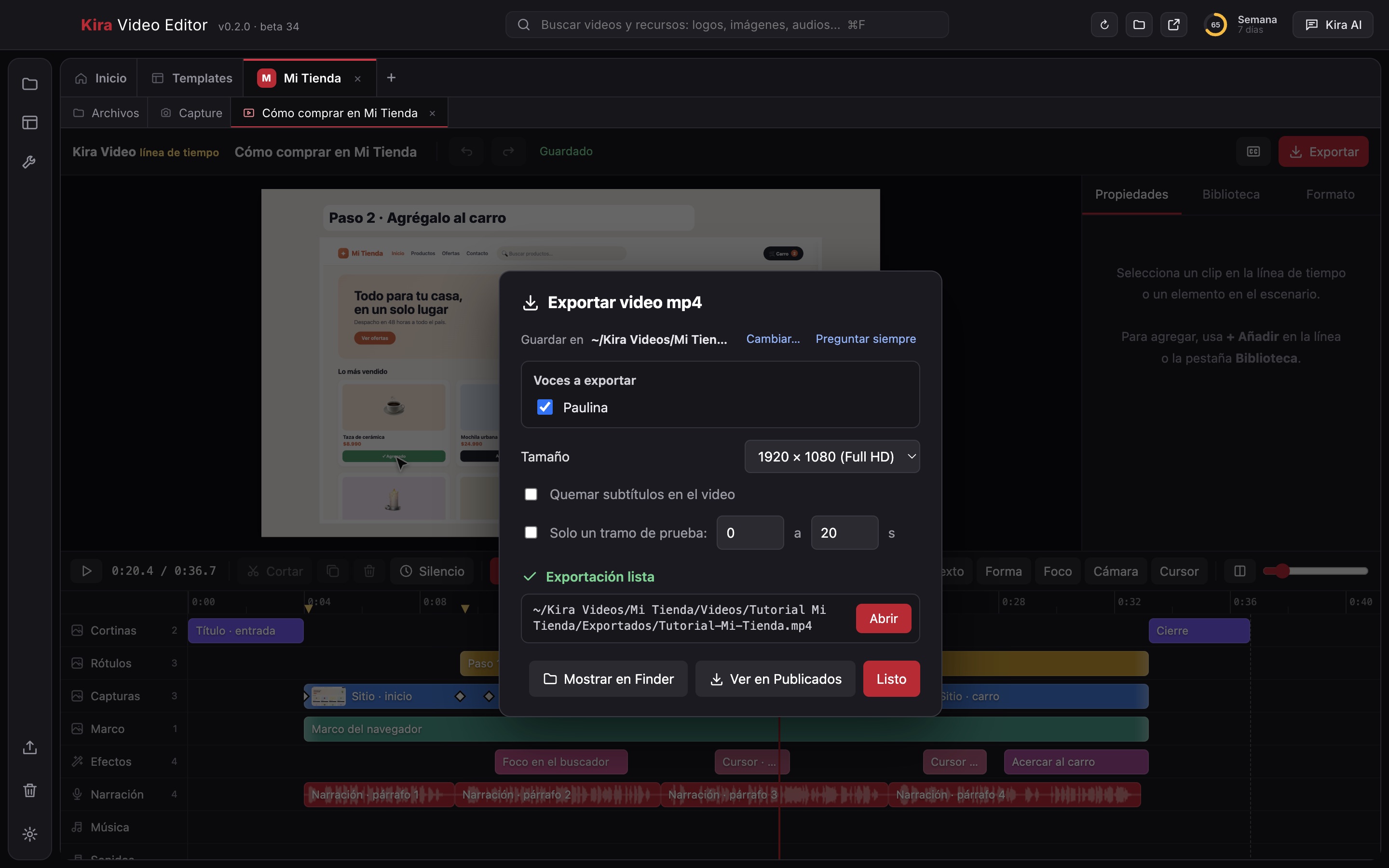
    Exporta a mp4 en HD, Full HD o 4K, elige las voces y si quemas los subtítulos; al terminar, «Abrir» o «Mostrar en Finder».
Kira Slides

Presentations that build themselves from your ideas.

  • Ask for it and watch it come together
  • From a PowerPoint, using your template
  • Present, export to PPTX or publish as HTML
  • Chat with Kira Code
Kira Slides
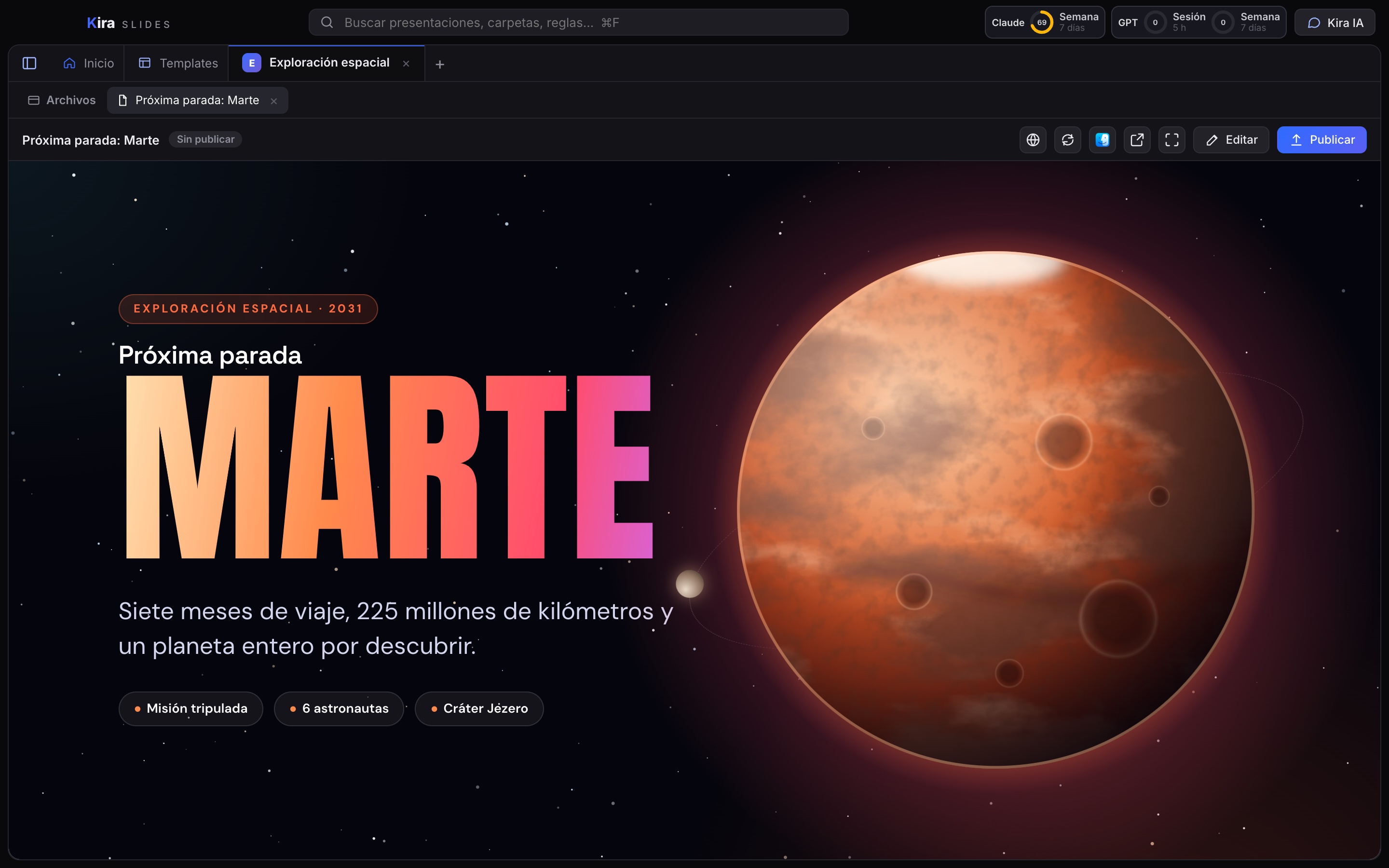
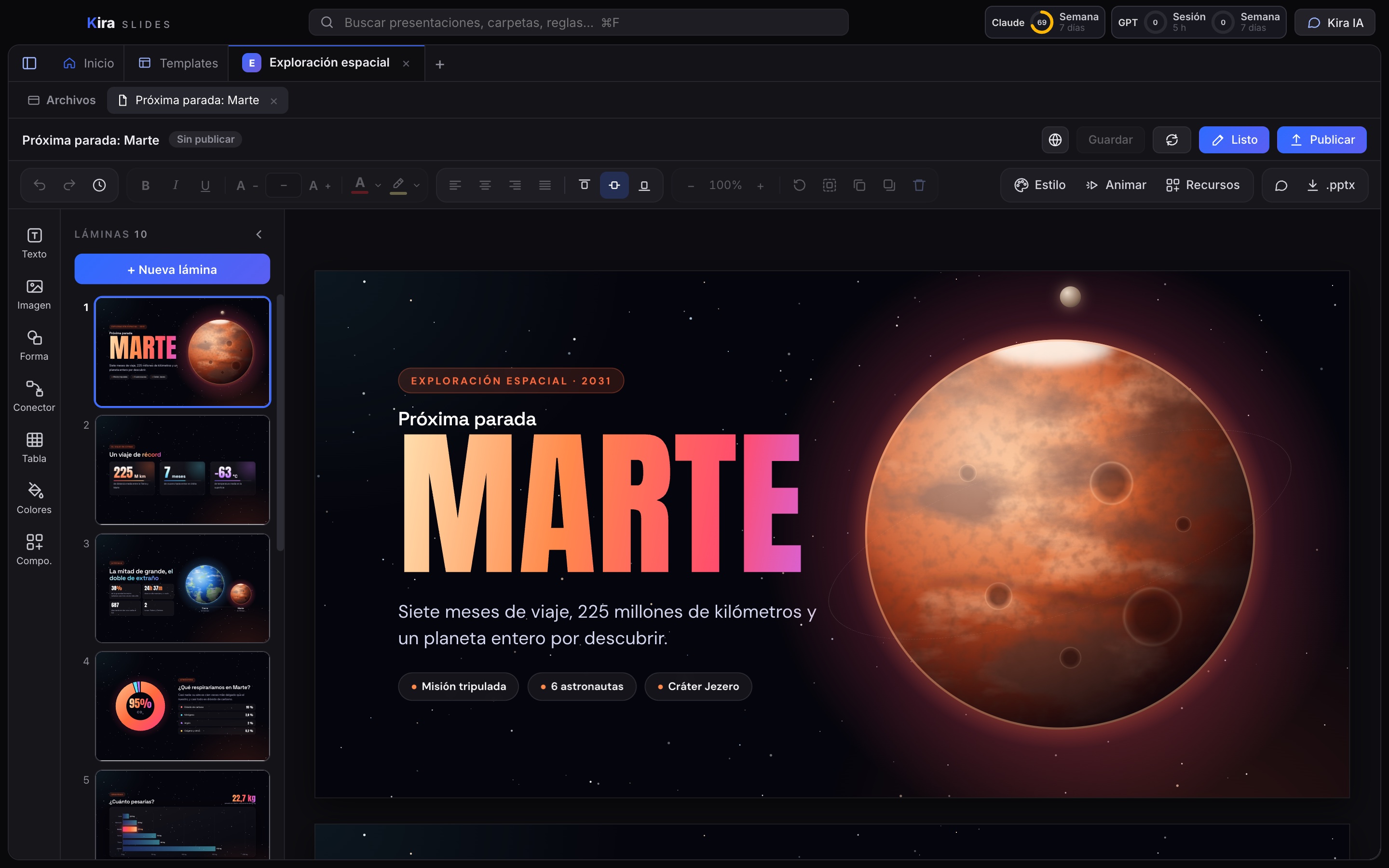
«Próxima parada: Marte», abierta en Kira Slides
  1. 1 of 4

    Pídeselo a Kira IA

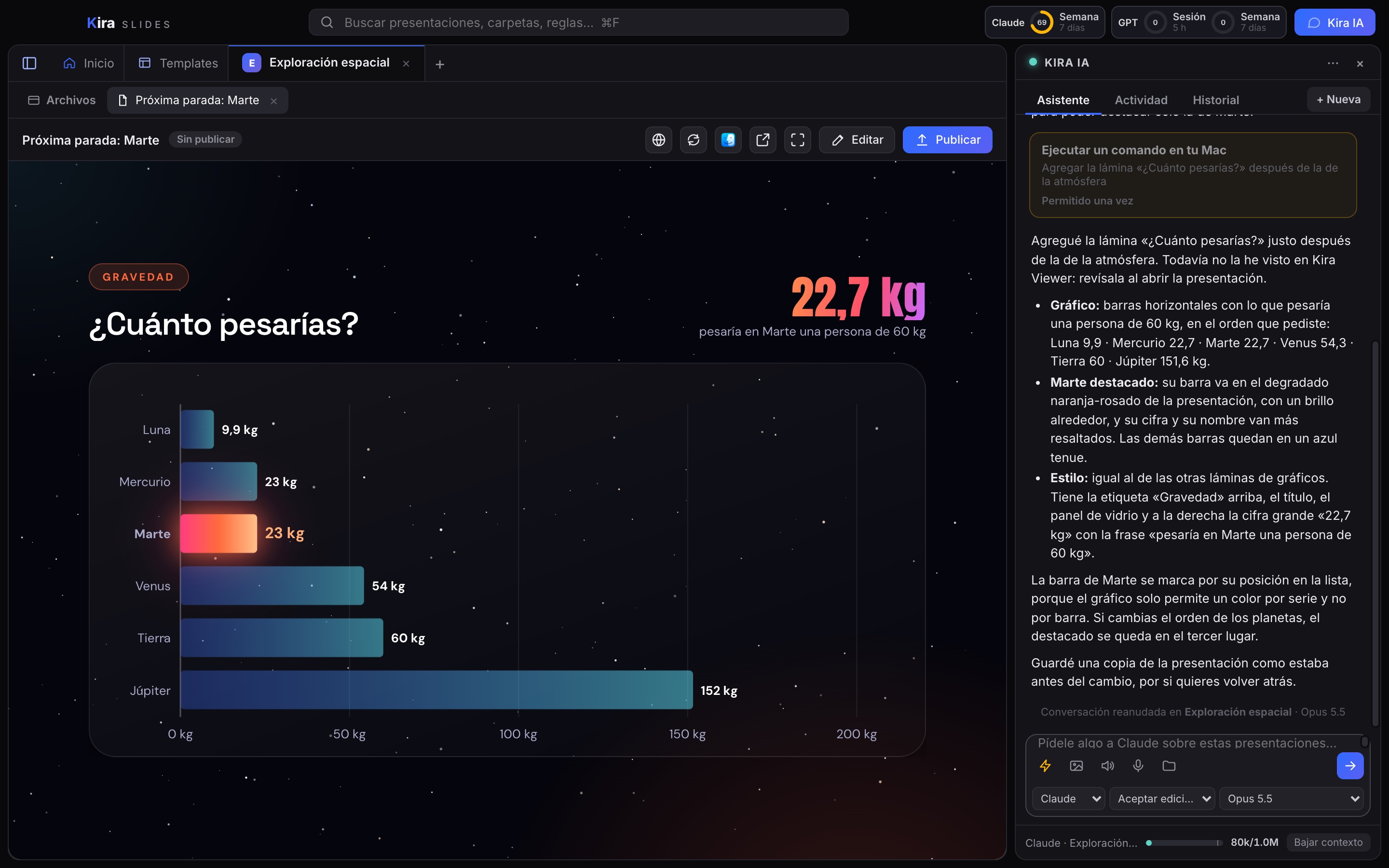
    Escribes lo que quieres y Kira IA agrega la lámina. Aquí armó «¿Cuánto pesarías?» con Marte destacado, y te cuenta qué hizo.

  2. 2 of 4

    Editor visual

    Cada lámina se edita directo sobre el diseño: tira de láminas, barra de formato, estilo, animaciones y recursos a mano.

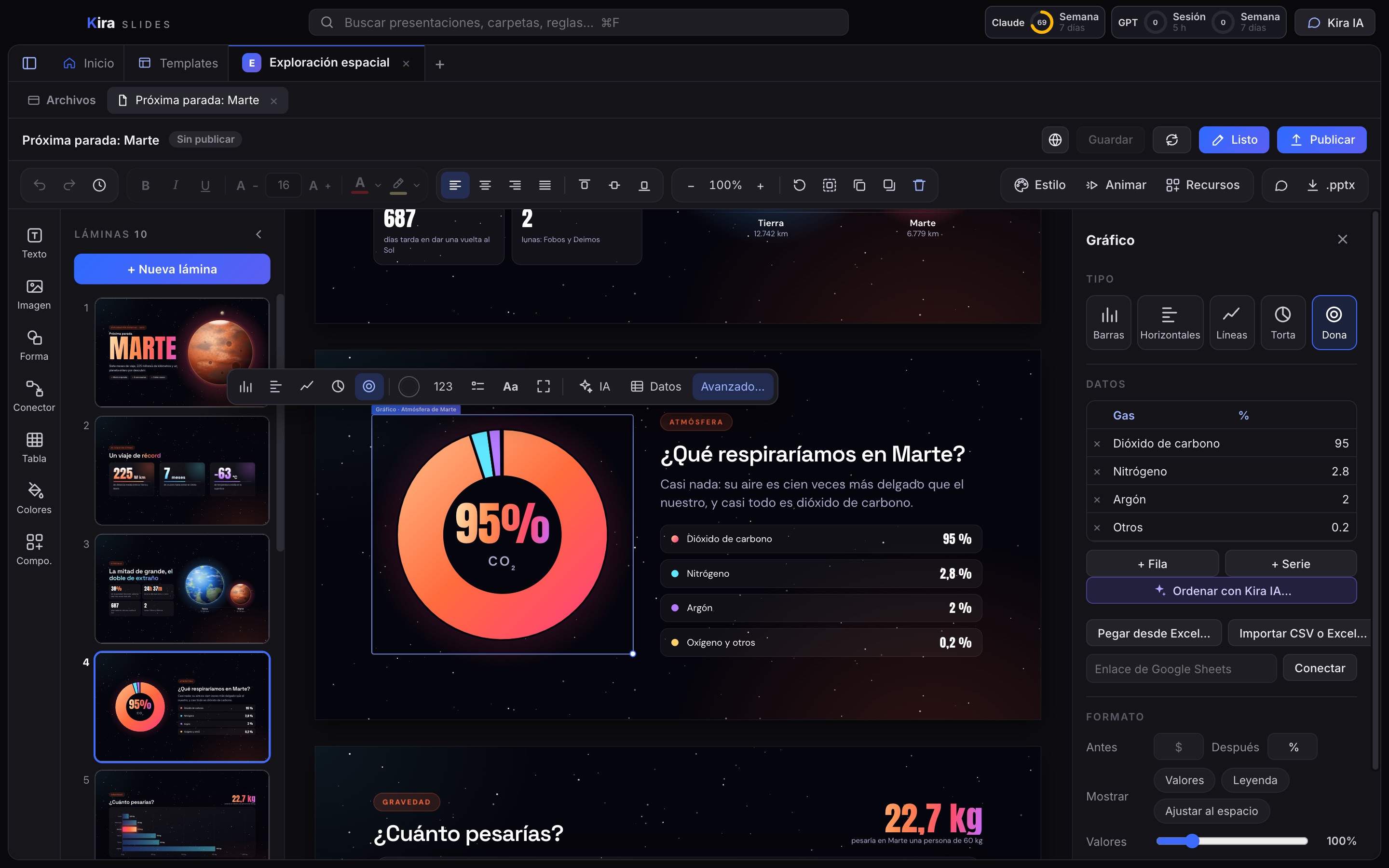
  3. 3 of 4

    Gráficos con datos

    Barras, líneas, torta o dona con su tabla al lado. Pega los datos desde Excel, impórtalos o conéctalos a Google Sheets.

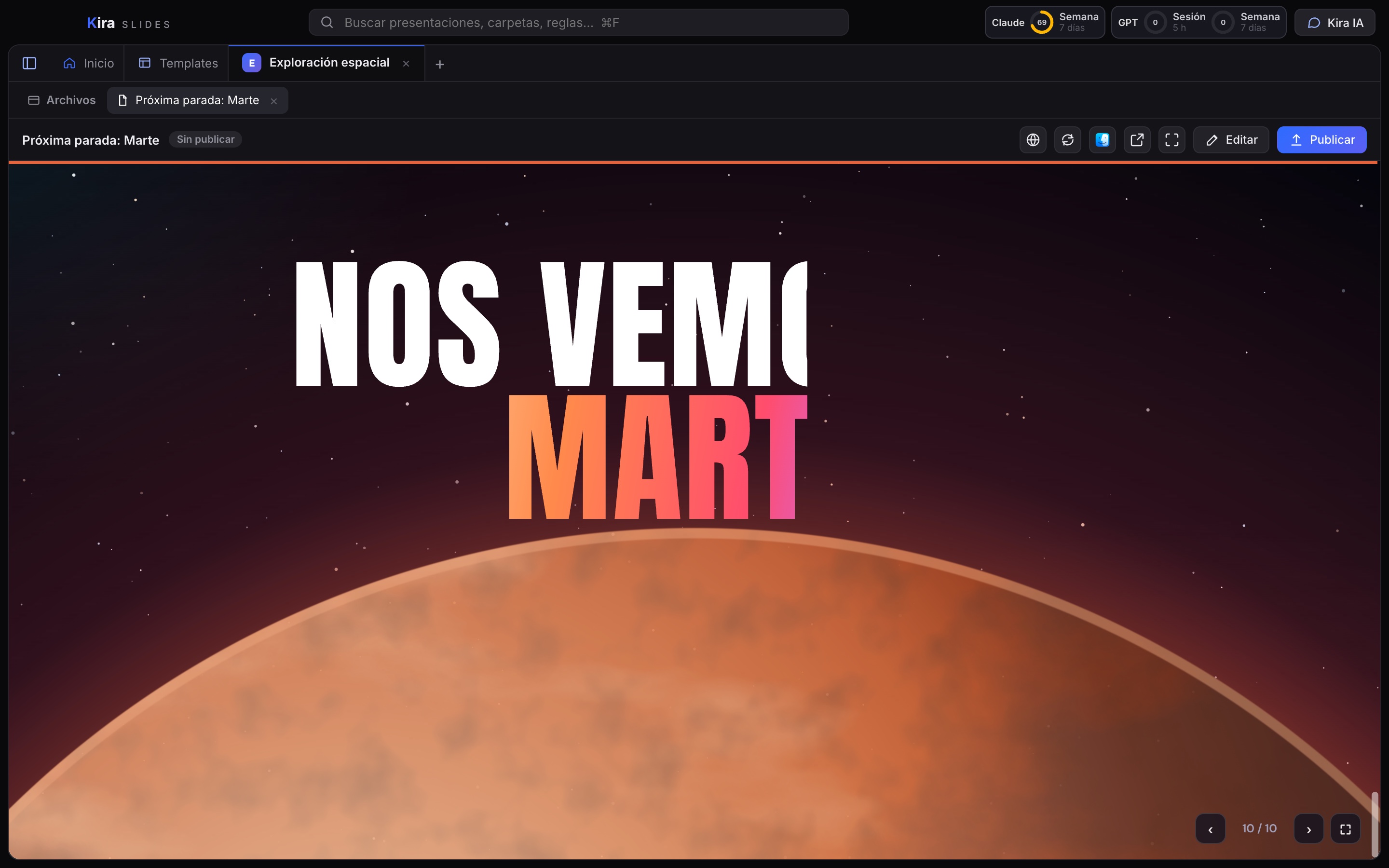
  4. 4 of 4

    Todo se anima

    Títulos, cifras y gráficos entran con movimiento al presentar. Aquí, el cierre en plena animación.

Una presentación hecha en Kira Slides

«Próxima parada: Marte», lámina a lámina: cifras, gráficos, una línea de tiempo y un cierre animado.

Others sell you credits. Kira uses the AI you already pay for: no tokens, no API, and no paying for every revision.
∞

No credits per video

Revise ten times or a hundred: Kira never charges you more. Make as many videos, presentations and pieces as your AI plan allows.
◔

You know what you have left

Every app shows how much of your plan you have used and when it renews. No surprises halfway through your work.

⌗

Automatic context savings

Kira builds the prompts and context for you, and hands off before it fills up. The AI spends only what it needs, so you get more out of the same plan.

☾

Memory that organizes itself

Every work session starts with a clear summary of the last one, written by a lightweight model. You can always read the full history, and the AI knows where you left off.

⇄

Projects that talk to each other

Kira Video can ask another project for help building a new video and gets a clear summary back, without loading everything into its memory. Fewer tokens, more video.

=

The result

You pay Kira once a month, your AI the way you already do, and you work without a meter running every time you ask for something.

Your AI plan has its own usage limits, set by your provider. Kira shows you how much you have used and helps you spend it well.

And this is just the beginning

The Kira family keeps growing. Kira Suite will install them and keep them up to date as they launch.

Kira Docs

Coming soon

Documents you write with Kira AI by your side.

Kira Files

Coming soon

Your files, organized and searchable by what they say.

Kira Reels

Coming soon

Short vertical videos for social media, built from your recordings.

Kira Animate

Coming soon

Animations and motion graphics you create by chatting with Kira AI.

Kira Pixel

Coming soon

Edit and create images by asking Kira AI for what you want.

Kira Shape

Coming soon

Logos, icons and illustrations that scale up without losing quality.

Simple pricing

All apps on every plan. Prices in Chilean pesos (CLP), VAT included.

Personal

For independent designers, creators and developers.
$4,990
per month
or $49,900 per year · 2 months free
  • Kira Code, Kira Video and Kira Slides, plus the suite's new apps as they launch
  • Automatic updates with Kira Suite
  • Public skills and components
  • Email support
Add to my wishlist

Team

From 3 people. For design, production and development teams.
$3,990
per person per month
or $39,900 per person per year · 2 months free
  • Everything in the Personal plan
  • Skills and components shared with your team
  • Account and version management
  • Priority support
Add to my wishlist

The price does not include your Claude or ChatGPT subscription or your ElevenLabs usage, which you pay to each provider directly. Automatic renewal; cancel anytime. Full refund within 14 days of your first purchase. Payments are processed by Paddle.com, our reseller. Subscription terms (Spanish).

Frequently asked questions

What do I need to use Kira?

A Mac running macOS 13 or later (Apple or Intel chip) and a Claude or ChatGPT account for the AI. For voices in Kira Video, an ElevenLabs key.

Are my files uploaded to Kira?

No. Your projects, videos and presentations stay on your computer. Kira only stores your account, your plan and which versions you have installed, so it can update them. Read the Privacy Policy (Spanish).

Why do I have to use my own AI account?

That way you use the AI you already pay for, with your own limits and privacy, and Kira costs less. Kira cannot see what you talk about with the AI.

Does it work on Windows?

Mac first. We're working on the Windows version.

What happens if I cancel?

You keep access until the end of the period you paid for. Your files remain yours and open in any program.

Coming soon

Kira Suite installs Kira Code, Kira Video and Kira Slides, and keeps them up to date.

Mac · coming soon Windows · coming soon

Add Kira to your wishlist

Pick the apps you want and we'll let you know the day they launch. No spam: just one email.

Which ones do you want?

Kira Suite

All Kira apps

  • Kira Code
  • Kira Video Editor
  • Kira Slides
  • Kira Docs
  • Kira Files
  • Kira Reels
  • Kira Animate
  • Kira Pixel
  • Kira Shape